Calendar file guides
Import ICS files into Fastmail and subscribe to calendar URLs
Add events from an .ics file, or subscribe to a calendar link for automatic updates.
By Just Schedule Me · Sources checked on
File or calendar link?
Import an .ics file
- Copies events once, without future updates.
- You can edit them, except invitations.
Subscribe to a calendar link
- Adds a calendar that updates automatically.
- Read-only; its owner controls the events.
For two-way sync, follow Fastmail's sync guide.
Import an .ics file into Fastmail
Use Fastmail on a computer. Save your .ics file and unzip it if needed, or try our sample file.
Create a calendar (optional)
To keep imported events separate, open Settings → Calendars, choose Create calendar, name it and save.
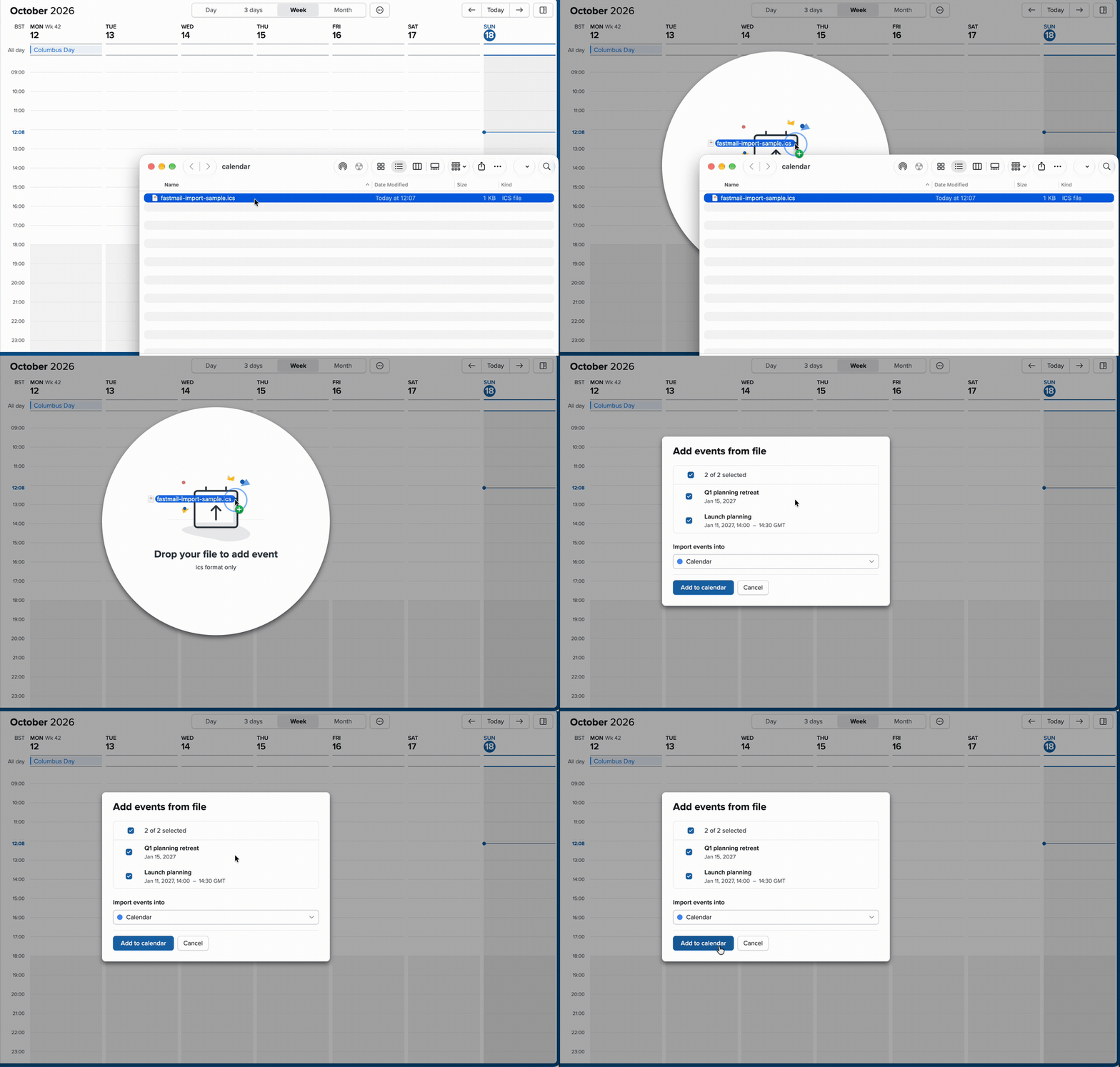
- Open Fastmail's Calendar and drag your .ics file onto it.
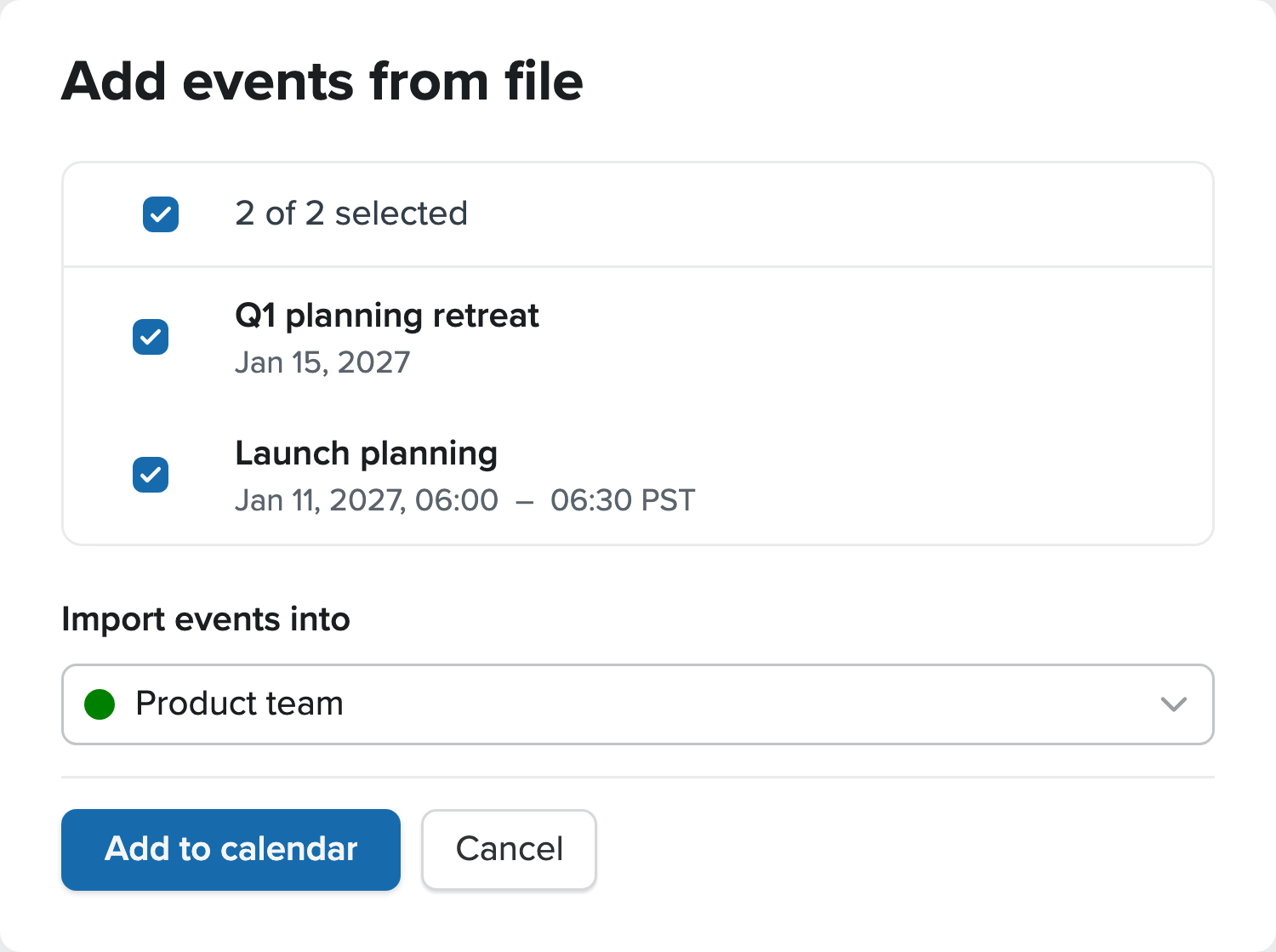
- In Add events from file, select the events and set Import events into to the calendar you want. Click Add to calendar.
- Go to an event's date and check the result.
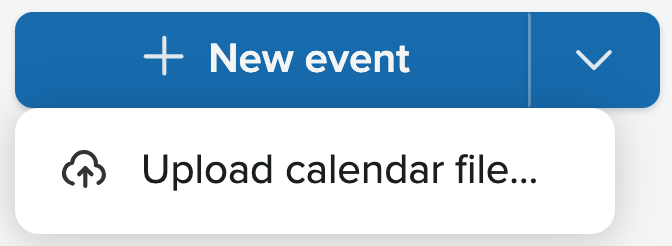
Prefer a file picker? Click the arrow beside New event, choose Upload calendar file… and select your .ics file.
You can also use Settings → Migration → Upload contacts and calendars. See Fastmail's import help.
Check the result before importing again: Fastmail may replace matching events.
Subscribe to a calendar URL
Use the calendar's ICS or iCal link, not the web page it's listed on.
- Open Settings → Calendars and find Subscriptions under My calendars.
- Paste the feed URL and click Subscribe to calendar.
- Choose a name and color, then Save.
- Open Calendar and check that the new calendar and its events appear.

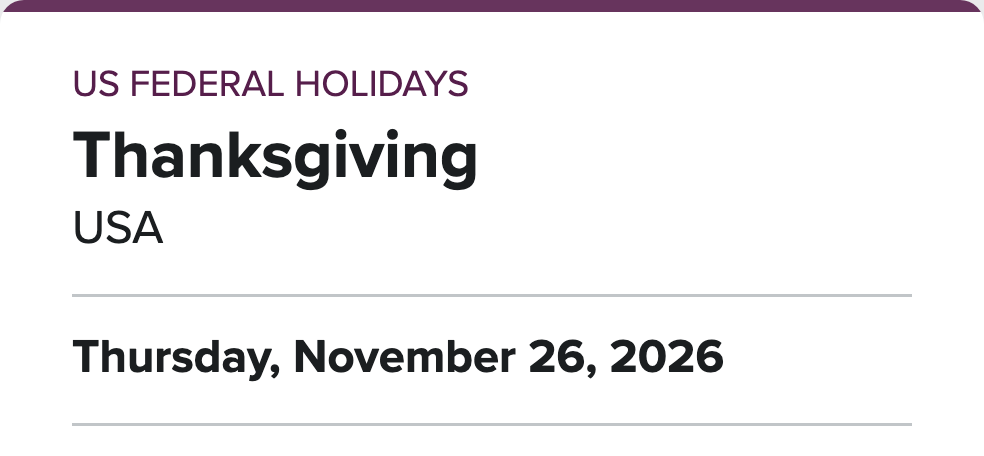
Try a public calendar
For US federal holidays, copy this Office Holidays feed:
https://www.officeholidays.com/ics-fed/usaAllow time for updates. Don't share private feed links; they can expose your events.
Check your events
Compare an event with the original file or feed.
- Calendar
- Make sure it's in the calendar you chose.
- Dates and repeats
- Check the title, start and end times, and all-day dates. For repeats, check a later occurrence too.
- Time zone
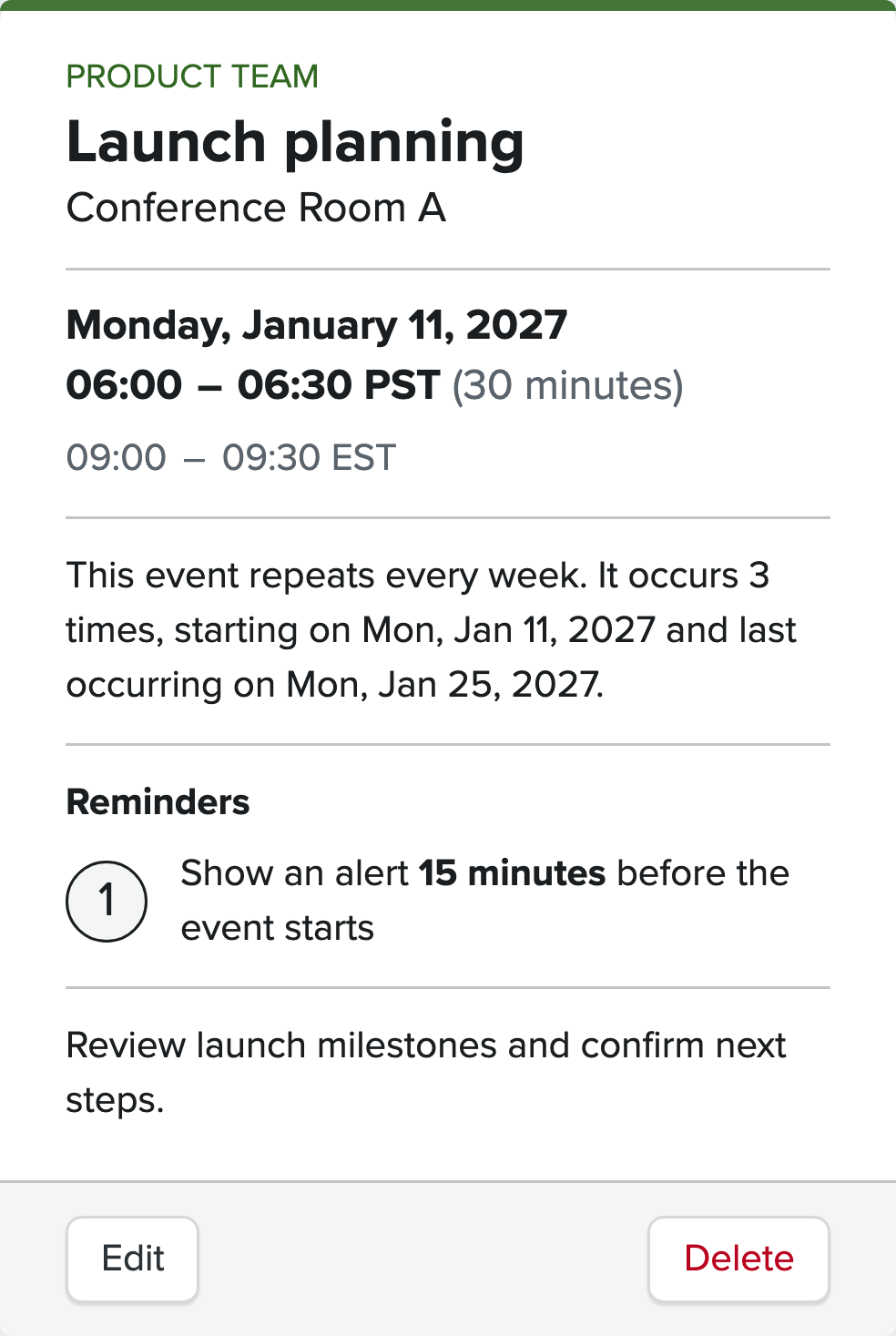
- In January, the sample's 9 AM in New York is 6 AM in Los Angeles. If the time looks wrong, see Fastmail's time zone help.
- Reminders
- Check Reminders. To fix one, choose Edit, pick the occurrence or series if asked, then Add reminder or change the existing alert and save.
- Fastmail says alarms aren't imported, but our October 13 test kept the alert with no default reminder set. Check your settings; alert delivery wasn't tested.
Fix a problem
- Events are missing
- Check the account, calendar visibility and event dates. Open the file in the ICS viewer to see what's inside.
- Times are wrong
- Check the source and Fastmail time zones. In an ICS file, Z means UTC; TZID names a zone. Without either, the time has no fixed zone. Ask the sender to correct a bad file.
- File won't import
- Choose the .ics file and run the ICS validator. Fix reported errors or request a new export.
- Subscription won't connect
- Check that the link points to a calendar feed. It may have moved or be temporarily unavailable. See Fastmail's troubleshooting help.
- Updates haven't appeared
- Allow time for Fastmail to refresh the feed. Importing it as a file won't speed this up and can create duplicates.
- Events appear twice
- If you both imported and subscribed, keep one: the subscription for updates, or the import for editing.
Practice file
Try a team schedule
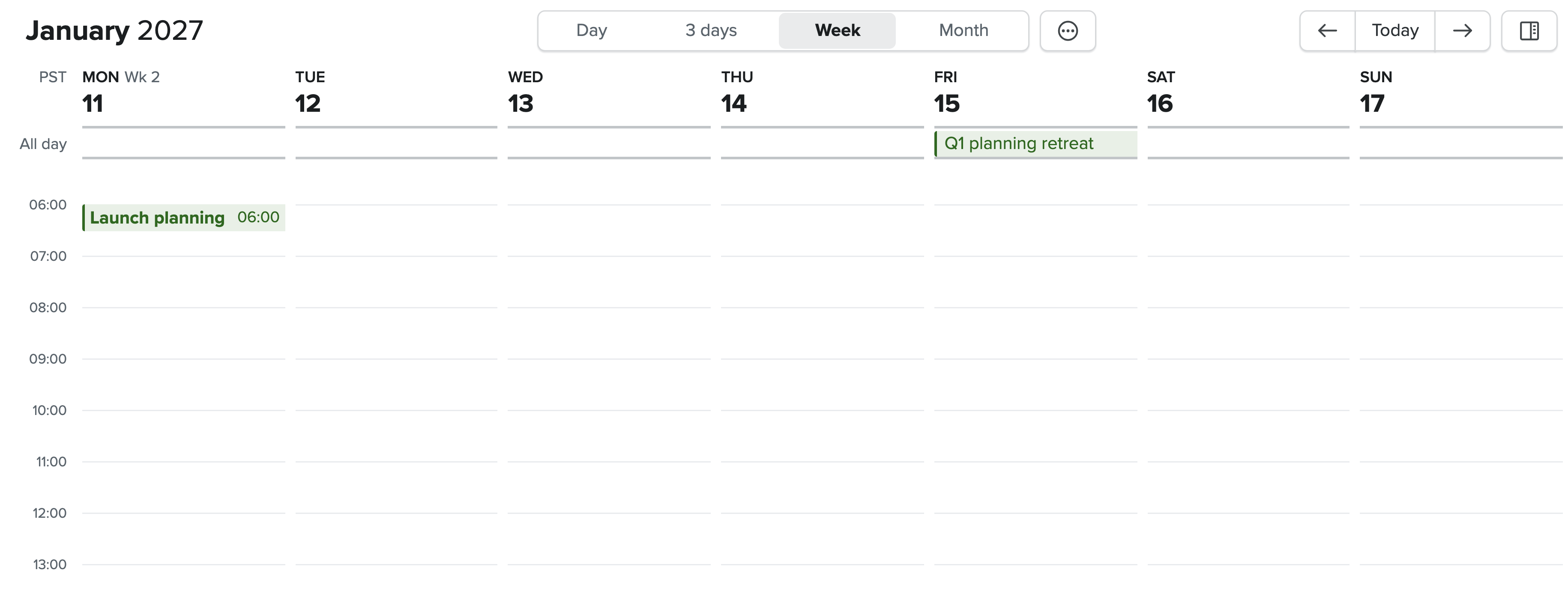
Two example events in January 2027:
- Launch planning: Mondays, January 11, 18 and 25, 9:00–9:30 AM Eastern. Reminder: 15 minutes before.
- Q1 planning retreat: Friday, January 15, all day.
Import into a test calendar. You should see four entries. Check reminders, then delete the test calendar.
Using a phone
Complete these steps on a computer, then check the calendar in Fastmail's app. For Apple Calendar, use our iPhone import guide.
More calendar tools
Preview files in the ICS viewer, check errors with the ICS validator, or learn what an ICS file contains.
For another app, see our Google Calendar or Outlook import guide.
No ICS file yet?
Use the ICS file generator, convert a spreadsheet, or turn text and images into calendar events.
Paste or upload a scheduleSources and testing
Fastmail's help:
- Import/export your calendars
- Calendar sharing via public URL
- Troubleshooting calendar issues
- Time zone support
- How to synchronize a calendar
Tested in Fastmail's web app in Brave on October 13, 2026: file import, three weekly repeats, an all-day event, time zones, a retained reminder and a read-only subscription.
The recording shows the sample file imported by drag and drop on October 18, 2026. Still images are labeled recreations. The holiday feed was checked separately; native apps, alert delivery, repeat imports and refresh timing weren't tested.
Imported invitations can restrict edits; see Fastmail's migration help.